Bring your numbers to life.
Turn your real estate model into an interactive investment presentation, with traceable figures and automated workbook checks.
- Opens on phone and iPad
- Built-in chat answers questions from your model
- Source references for mapped figures
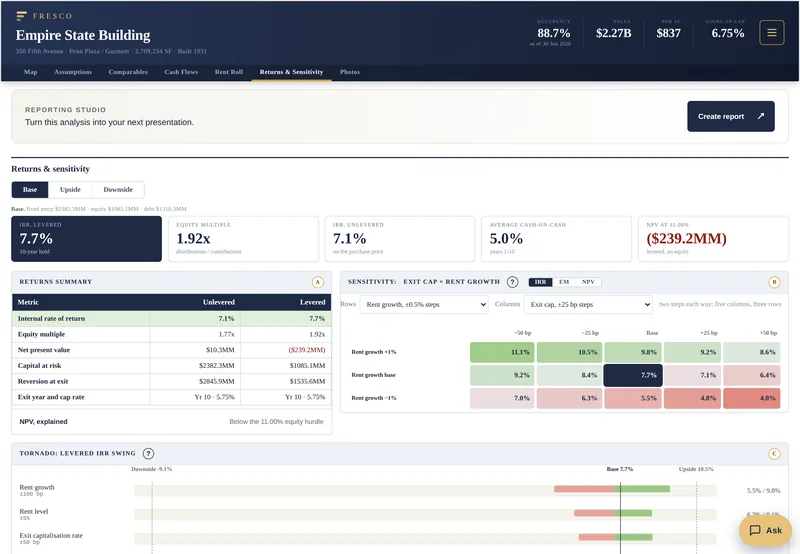
| Rent growth | -50 | -25 | Base | +25 | +50 |
|---|---|---|---|---|---|
| +1% | 11.1% | 10.5% | 9.8% | 9.2% | 8.6% |
| base | 9.2% | 8.4% | 7.7% | 7.1% | 6.4% |
| -1% | 7.0% | 6.3% | 5.5% | 4.8% | 4.0% |
- Entry
- $2382.3MM
- Equity
- $1085.1MM
- Debt
- $1310.3MM


- 11 tabs
- 72 printed pages
- 1,313 formulas
the actual model

- 1 page
- 1 link
- source references included
Bring your excel models to life.


- 1 file
- 7 tabs
- 24 h
- by request
- 30 days
- 0 installs

cre still runs on spreadsheets.
The whole model at your fingertips.
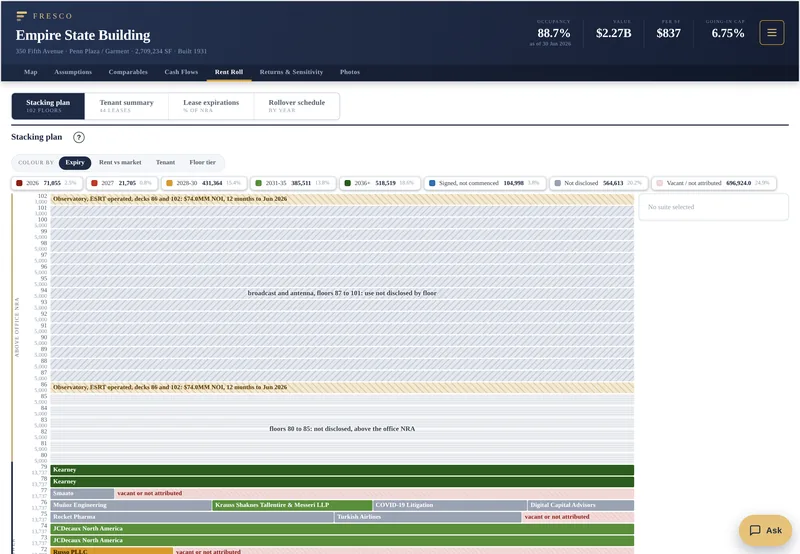

one file.
spend more time making money.
Your turn
Your input files
Keep the source close
Download your workbook to find the values you need while completing your deal.
Office deals only during launch. Ask about anything else.
Ready to start your Portfolio Map?
What we need to confirm
Show the deal, not the formulas.
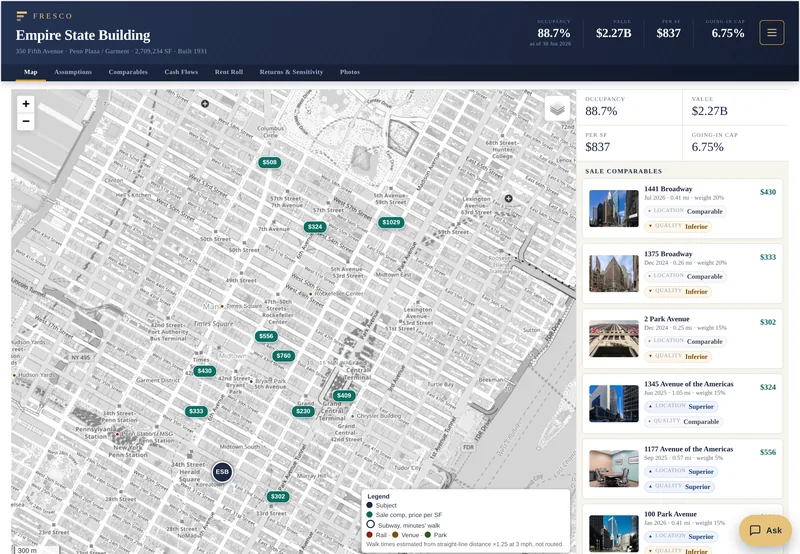
Interactive map
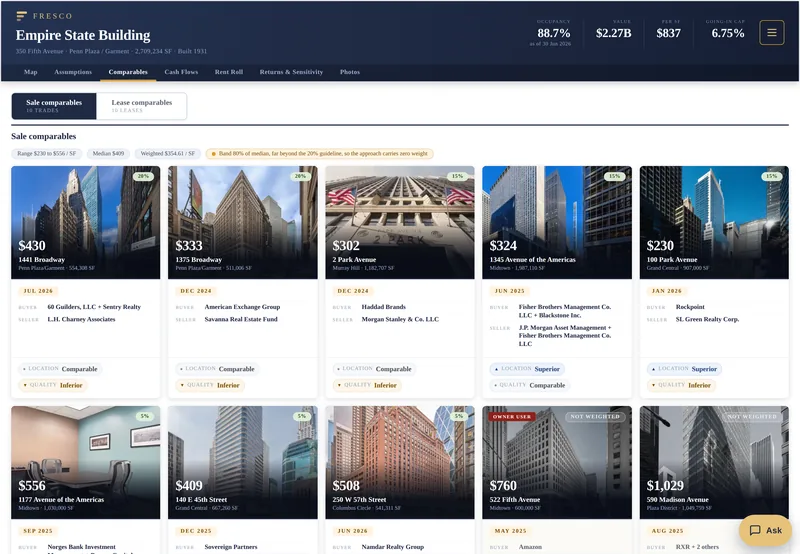
Comps pinned at price per SF. Walk rings.
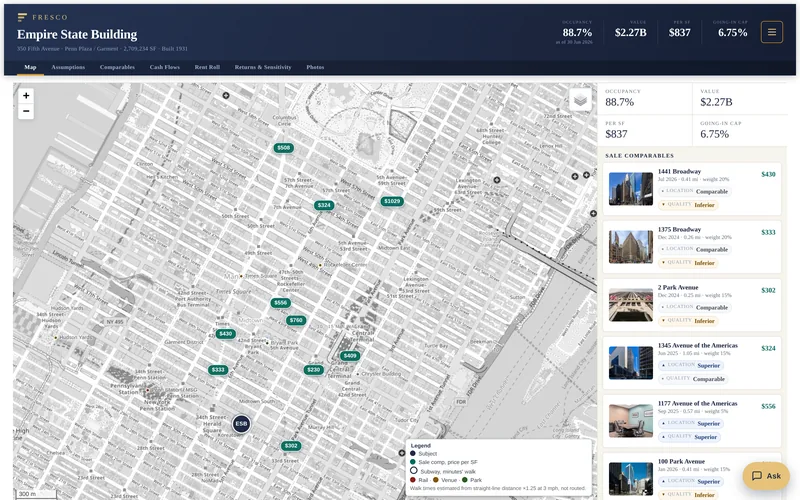
Your MD can actually read it
One link, any browser, no Excel, phone included.
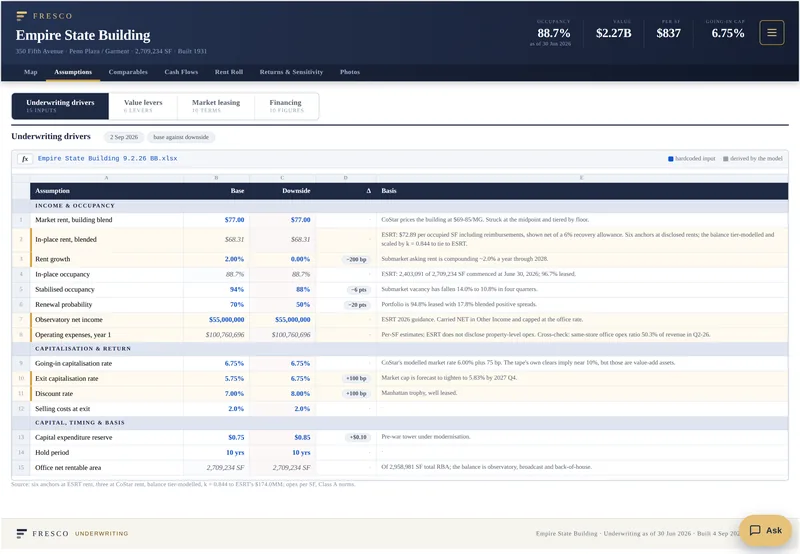
Traceable figures
Mapped values retain workbook, sheet and cell references.
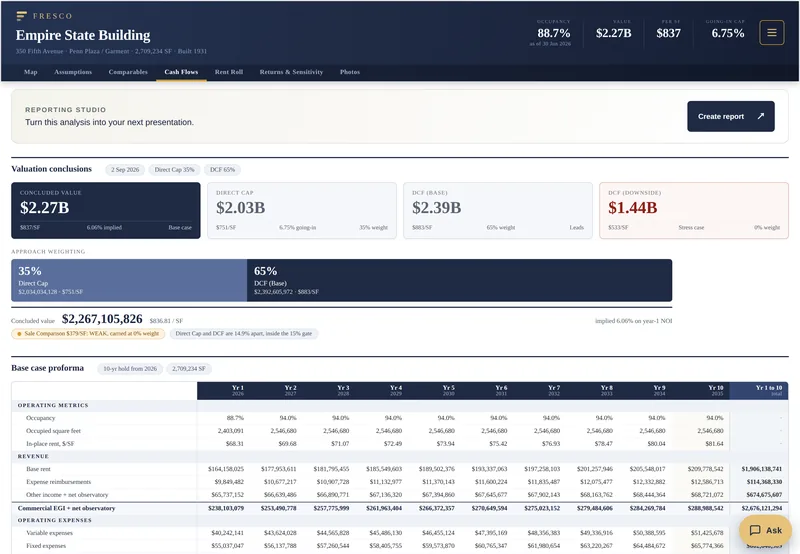
Dynamic sensitivities
Base, upside, downside on a switch. Every cell recomputed.
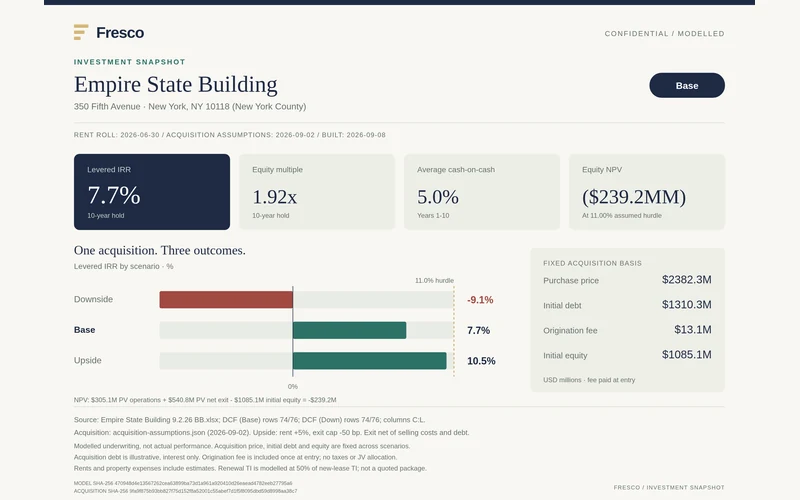
Reporting beyond the workbook
Copy charts. Save PNG, SVG or PDF, with sources.
An extra layer of checks
Intake and mapping checks. Human review still required.
Turn analysis into a presentation. Keep the sources with it.
More time on the deal. Less time decoding formulas and every shop's template.
Keep underwriting in Excel. Fresco is the page your model becomes.
- Better than your Excel model, or your money back · live in 24 hours
Your model contains more than numbers.
Deal terms, tenant information and investment assumptions deserve clear answers about access, storage and AI. Review how Fresco handles your data before uploading a confidential workbook.
SOC 2 is on our roadmap. Fresco does not currently have a SOC 2 report.
8 questions
Who can see my file and the page you build from it?
We email you the file. Forward it to anyone; a link in your account keeps the latest version. Public samples remain public. Removing a link cannot recall a copy someone has already downloaded; email hello@withfresco.com to disable one.
What happens to my workbook after the page is built?
Uploaded source files are deleted 30 days after delivery; files for unpaid or unfinished work are deleted 30 days after upload. The delivered presentation and review record stay in the owner account until removal is requested. An unfinished job that reaches the limit expires and its reserved credit is returned. Earlier deletion is available on request. When Ask is enabled, selected deal figures and questions go to the configured AI provider; the original workbook is not part of that request. See the privacy policy for details.
My model has external links and a few #REF! cells. Does that break it?
They can affect the result. Intake checks flag external links and broken references, and missing required fields can stop the upload from proceeding. We read the values last saved by Excel; linked files are not fetched or recalculated. Review the findings and correct the source workbook where needed before relying on the presentation.
How fast do I get it back?
Within 24 hours of payment, by email, as one HTML file. The workbook is already on the page when you pay, so the clock starts at the Stripe receipt, and the receipt names the hour it is due. With existing credits, the same 24 hour clock starts when you confirm Use 1 credit. If something in the file stops the build, you hear that inside the same 24 hours, with a full refund on offer for a payment or the reserved credit returned.
What if I change the model after the page is built?
Contact hello@withfresco.com with the deal reference before sending an update. We confirm scope, timing and credit treatment first. Automatic updates and self-service version history are not available yet. An update on an unchanged mapping never costs a full credit; a figure that does not match the workbook you supplied is fixed free.
How big a model can I send?
The upload limit is 40 MB. Size alone does not decide fit: the mapper relies on recognizable labels and Excel’s saved values. Review the free source report before checkout, and contact hello@withfresco.com if the required data sits elsewhere or your model needs a different layout. Missing figures are not automatically filled from public sources.
Will it open on my partner's phone?
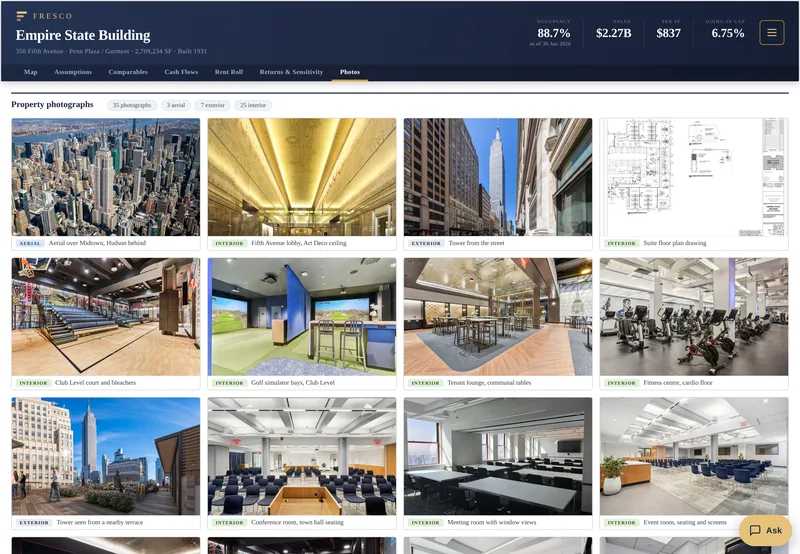
The page has layouts for laptops, tablets and phones and opens in a browser without Excel. Open the public sample on your device to try it. Embedded photographs can take longer to load on a slow connection.
What if my partner still cannot open it, or a number is wrong? Can I get my money back?
Yes. We guarantee Fresco is better than your Excel model. If it is not, email hello@withfresco.com and the full price is refunded the same business day. You keep the page. For a subscription the refund covers the current billing period. A wrong figure is also fixed free, whether or not you take the refund.